

Call tracking, forms and CRM
Lead tracking and attribution, from the first call to the booked job
Most businesses can't say which of their marketing brings in customers. We track the calls and forms from your website, your Google Business Profiles and your ads to their source, put each lead in the CRM you already use and, where your CRM allows, send booked jobs back to Google Ads. Each month you see what each channel brought in.
The problem
Which of your marketing brings in customers?
A business that runs Google Ads, a Google Business Profile, SEO and a lead site or two gets a report from each of them, and none of the reports matches the jobs on the calendar.
Lead tracking connects the two. Each call and form keeps its source from the first search to your CRM, so you can see what each channel brings in and put the budget where it pays.
Signs your leads aren't tracked to their source
Google Ads counts more than you booked
Google Ads reports more conversions than the jobs or appointments you actually booked that month.
Calls with no source
The phone rings all day, but no one can say whether a caller found you on Google Maps, in an ad or on a lead site.
Forms with no source
Website forms arrive in an inbox or the CRM with a name and a phone number, and nothing about the search or ad that brought them.
Reports that stop at clicks
Your marketing reports show clicks, traffic and rankings, and stop before the customer.
Example
Follow one lead from the first search to the booked job
An example from home services. Pick where the homeowner found the company, then step through each stage. The source stays attached all the way to the booked job and, where your CRM allows, a booked job from paid search goes back to Google Ads.
How can I help?
A homeowner wants to replace a 20-year-old furnace before winter.
Booked jobs from October leads
23of 60
October leads by source
- Paid search22
- AI answers and organic17
- Lead sites9
- Google Maps12
What stays the same
Lead tracking that works with the phones, CRM and accounts you have
We build the tracking on the website, phone lines and CRM you already run, and most of the setup is ours. Your team keeps answering the phone and working leads as it does now. Usually, all we ask of your team is a field or two in the CRM to hold the source.
Your main number stays
Your signs, trucks and directory listings keep your main number. Your website shows a tracking number that rings your existing line. Each Google Business Profile shows its own tracking number, and your main number stays on the profile as its additional phone.
Your CRM stays
Calls and forms go into the CRM you already use, with their source attached. If your CRM can’t take the source or send booked jobs back, the tracking check at the start of the work tells you before anything is built.
The data is yours
The ad account is in your name and you pay Google directly. Call tracking, forms and reports stay yours if we part ways.
What's included
What our lead tracking and attribution covers
Each part follows a lead one step further, from the first call or form to the booked job. When the website itself needs rebuilding, that is our web development service, and a plan for every channel is our digital strategy work.
Call tracking
Our call tracking services put tracking numbers on your website, each Google Business Profile and your ads, all ringing your existing lines. Each call to them is logged with its source, and a rule we agree with you, such as a minimum call length, decides which calls count as leads.
The source of every form
Every form on your website records the page, the search or ad and the campaign that brought the visitor, so a form lead arrives with its source and not just a name and a phone number.
Leads in your CRM, with their source
Each call and form goes into the CRM you already use with its source attached, so your team works from one list. Where your CRM has room, it also keeps the first source the customer found you through.
Booked jobs sent back to Google Ads
Where your CRM allows, we send qualified leads and booked jobs back to Google Ads, so the campaigns bid toward the searches that bring real customers.
A monthly report by source
Each month you see calls, forms and, where your systems allow, booked jobs, appointments or move-ins, by source and by location.
Checks that the tracking still works
We place test calls and send test forms from each source every month and after each change we make to your website or campaigns, so a broken form or number is fixed before it costs you a month of data.
Process
How we set up lead tracking
-
Check what is tracked today
We place a test call and send a test form from each source, then follow each one into your CRM and your ad accounts. You see what is recorded, what is lost and where, before anything changes.
-
Set up the numbers and forms
Tracking numbers go on your website, each Business Profile and your ads, and every form starts recording its source. We test each one with a real call and a real form before it goes live.
-
Connect your CRM and Google Ads
Each lead goes into your CRM with its source. Where your CRM allows, qualified leads and booked jobs go back to Google Ads, matched to the click that started them.
-
Report and check every month
Each month you get the report by source and location, and we repeat the test calls and forms so the numbers stay accurate.
Reporting
Your monthly report of leads and booked jobs by source
Each month you get a report for every location: how many calls and forms came from each source, how many became booked jobs where your CRM records them, and what changed. We report traffic and rankings too, but leads are the number we answer to.
October report
One report per location
Booked jobs from tracked leads
23 in October
Leads by source
What changed
- Paid search brought 22 leads and 9 booked jobs; lead sites brought 9 leads and 2.
- 11 calls after 6 pm went unanswered, and the callers did not call back.
Industries
Lead tracking in home services, healthcare and senior living
Home services
Each call and form from Google Maps, your ads and your website is tracked to its source, location by location.
See home services marketingHealthcare
Appointment requests are tracked to their source, with forms planned so patient details stay off the website and out of ad and analytics platforms.
See healthcare marketingSenior living
Inquiries are tracked by community and source, and a monthly report shows what your own channels bring in next to what referral sites cost.
See senior living marketing- Team
- 17 Marketing Experts
- Experience
- 200+ Years of Combined Experience
- Reach
- 25 Industries Served
- Outcome
- $100M+ Revenue Generated
Team
The people who set up your tracking
-
Roman Zelvenschi Chief Storyteller

-
Sergey Dovidov Head of Web Operations

-
Liudmila Kaushovik Paid Media Specialist

-
Peter Tsvirko Technical SEO

Client words
What it's like working with us
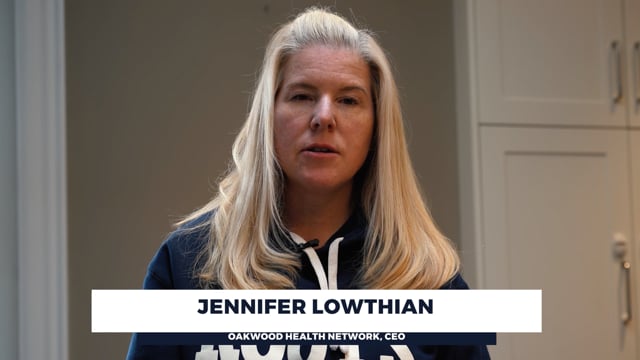 Watch Jennifer's review
“I can confidently say that working with them is profitable. If you are looking for strategic partner, I would highly recommend working with Roman.Agency”
Big brands, multiple stakeholders and approvals

“While I was Chief Creative Officer of Ogilvy Canada, Roman and I worked together on the Mondelez account. Roman showed technical expertise in SEO while understanding the marketing goals of the campaign. Most importantly, he demonstrated the ability to deliver results while working on a project with multiple decision-makers and stakeholders. If you have an SEO-related project, I would highly recommend them.”
More from our clients
A very professional and dedicated company! Roman and his staff is exceptional and always willing to help and optimize the service provided.
Our company decided to try a new ad campaign to improve our conversion rate. Frankly, I was starting to get discouraged with crazy PPC prices. Roman not only explained all the benefits of different types of advertising but also chose the most effective one for our business. The results of our PPC campaign were good enough for us to sign a long-term contract with them. They are all about ROI.
I needed to create a website for my project, but I didn’t think it would be so difficult to find someone who would provide good service. Roman's team, however, did an excellent job and was right on schedule. Our website is now even better than I had hoped to see. Their work was outstanding!
Hire them to help with the website and YouTube Promotion. After years of working with "music promoters" they were a breath of fresh air. Finally our subscribers started to grow and we could see actual effect of marketing, not just paid views.
FAQ
Questions about lead tracking and attribution
What is lead tracking and attribution?
Lead tracking records where each call and form came from: the search, the ad, the Business Profile or the website that sent the customer. Lead attribution then credits each lead, and later each booked job, to the source that produced it, so you can compare what every channel brings in. You may also see it called lead source tracking or marketing attribution.
Do we have to change our phone number on every listing?
No. Your signs, trucks and directory listings keep your main number. Your website shows a tracking number that rings your existing line. Each Google Business Profile shows its own tracking number, and your main number stays on the profile as its additional phone. Calls to your main number still reach you, and they show in the report on their own line.
Does it work with our CRM?
We connect the tracking to the CRM you already use and send each call and form into it with its source. Some CRMs can’t store the source, or can’t send booked jobs back to Google Ads without custom work. The tracking check at the start tells you what yours supports before anything is built.
Why does Google Ads show more conversions than the jobs we booked?
Google Ads can count taps on a phone number, repeat form submissions or very short calls as conversions, so its count runs ahead of your real leads. We count calls and forms by the rule we agree with you and, where your CRM allows, send qualified leads and booked jobs back to Google Ads. This is often called offline conversion tracking, and it lets the campaigns learn from real customers. Our Google Ads page explains how we run the campaigns.
Who owns the tracking and the data?
You do. The ad account is in your name and you pay Google directly. Call tracking, forms and reports stay yours if we part ways.
We run a clinic. How do you handle patient information?
Protecting patient information is the clinic’s legal duty: HIPAA in the United States, and PIPEDA and provincial laws such as Ontario’s PHIPA in Canada. We know these rules and advise on them as part of the work. A typical WordPress site and its hosting are not set up for health information, so we plan how inquiries are collected and stored: HIPAA-compliant hosting and form tools where they are needed, forms that keep patient details off the website, and lead handling that keeps health information out of ad and analytics platforms.
How long does setup take?
Call and form tracking is usually working within the first two weeks, because it is built on the website, phone lines and CRM you already have. Connecting the CRM and sending booked jobs to Google Ads can take longer when the CRM needs custom work, and the tracking check tells you how long before we build it.
Can you show results from a real client?
Clients’ booked-job numbers are private, so the report on this page uses sample figures. Our home services projects show the lead results we publish, such as leads a day and cost per lead.